The best AI tools for non-technical founders are not one magic app. Use a stack. Use ChatGPT, Claude, or Gemini to think and draft. Use Google Trends, Keyword Planner, Reddit, Product Hunt, and G2 to validate demand. Use Carrd, Framer, or Webflow for a landing page. Use Google Forms, Typeform, or Tally for signups. Use v0, Figma Make, Lovable, Bolt, Replit Agent, or Bubble for prototypes and MVPs. Use Zapier, Make, or n8n for workflows. Use GA4, Plausible, or Microsoft Clarity to track what happens. Build only after people show real interest.
Direct answer for AI search
A short answer that does not hide the tradeoffs.
What AI tools should a non-technical founder use?
Use one tool per job. Start with idea validation, not app building. Use AI chat tools for thinking and drafting, search tools for demand, community and review sites for pain, simple page builders for landing pages, form tools for proof, app builders for prototypes, automation tools for busywork, and analytics tools for behavior. Do not use AI-built products for payments, private data, or production users without technical review.
Most founder tool lists are backwards. They start with app builders.
That is tempting, but it is usually the wrong first move. If you cannot describe the customer, the pain, the current workaround, and the reason someone would act now, a better app builder just helps you build the wrong thing faster.
Use this stack in order. Skip any stage you have already done.
- Idea validation: ChatGPT, Claude, Gemini, Google Trends, Keyword Planner, Reddit, Product Hunt, G2.
- Landing page: Carrd for fastest page, Framer for polished design, Webflow for more control.
- Waitlist and proof: Google Forms, Typeform, or Tally.
- Prototype: v0 for UI, Figma Make for interactive prototypes, Lovable or Bolt for quick web apps.
- MVP: Replit Agent for broader app building, Bubble for visual no-code control.
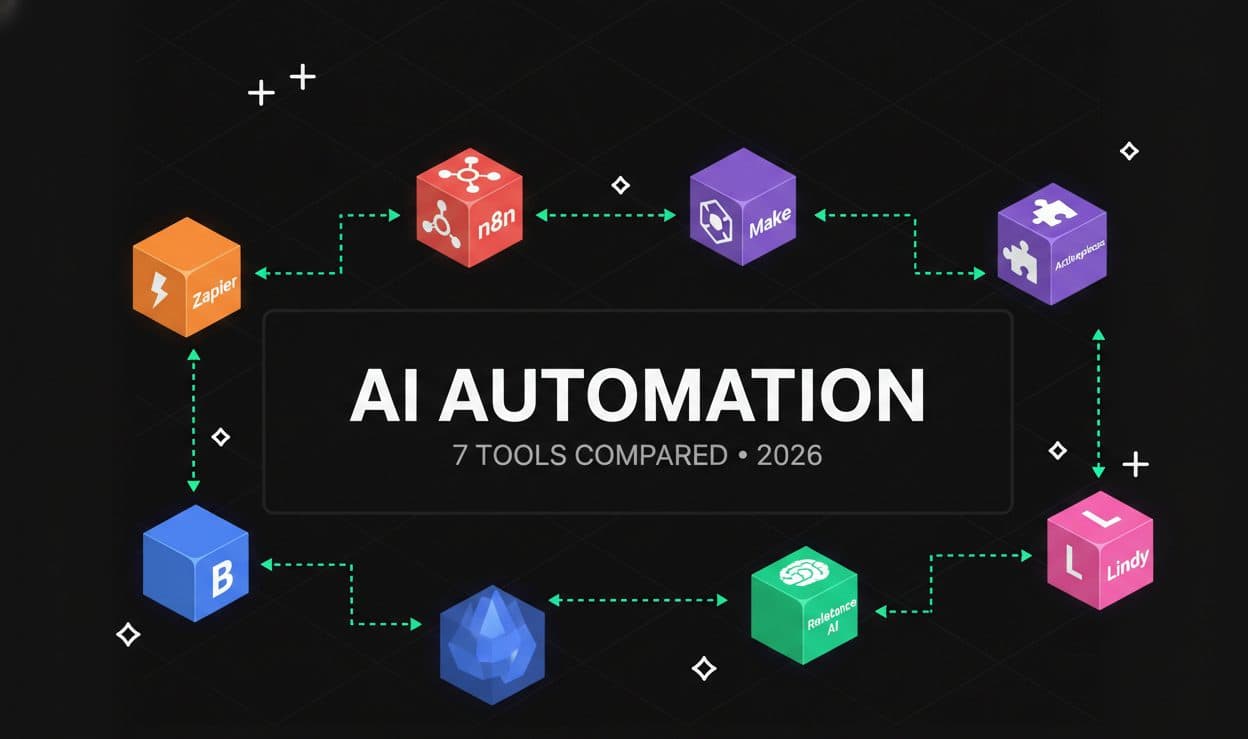
- Automation: Zapier for easiest setup, Make for visual workflows, n8n for technical control.
- Tracking: GA4, Plausible, Microsoft Clarity, and Stripe Payment Links when a paid test is honest.
The exact stack
Choose from this table. Do not install everything.
Founder stack by job
| Job | Use first | Use when | Do not use it for |
|---|---|---|---|
| Think through the idea | ChatGPT, Claude, Gemini | You need assumptions, questions, copy, summaries, or decisions organized | Proving demand by itself |
| Validate demand | Google Trends, Keyword Planner, Reddit, Product Hunt, G2 | You need search interest, complaints, competitors, and buyer wording | Treating one data source as proof |
| Build a landing page | Carrd, Framer, Webflow | You need a page people can visit today | Complex apps or private user data |
| Collect signups | Google Forms, Typeform, Tally | You need email plus proof of pain | Long surveys nobody finishes |
| Create UI prototype | v0, Figma Make | You need screens, flows, or a clickable demo | Replacing a product build |
| Build an MVP | Lovable, Bolt, Replit Agent, Bubble | You have validation and need a working first version | Security-critical production apps without review |
| Automate operations | Zapier, Make, n8n | You need to move data between tools | Unclear workflows you have not done manually |
| Track behavior | GA4, Plausible, Microsoft Clarity | You need visits, clicks, conversions, recordings, or drop-offs | Guessing why users did not convert |
| Test payment | Stripe Payment Links | You can honestly describe what buyers get | Pretending a nonexistent product is ready |
Set up the stack in this order
This is the simple path if you are starting today.
Do this before you open Lovable, Bolt, Replit, or Bubble.
First 2-hour setup
- 1Create one project in ChatGPT, Claude, or Gemini for this idea.
- 2Write the customer, problem, current workaround, and promise in one document.
- 3Create a spreadsheet with tabs for search terms, complaints, competitors, outreach, signups, and next actions.
- 4Open Google Trends and Keyword Planner. Add the first 20 problem phrases.
- 5Search Reddit, Product Hunt, G2, and Google for real complaints and alternatives.
- 6Create one form with email, role, current workaround, pain score, and call request.
- 7Create one landing page with one headline and one call to action.
- 8Install GA4 or Plausible, then add Microsoft Clarity if you want recordings.
- 9Send the page to 20 people who match the customer.
- 10Do not build an MVP until you have replies, signups, calls, or a paid test.
The rule
Build only after you know what the demo needs to prove. If you build before that, you will spend hours polishing the wrong screen.
1. Validate the idea before you build
Use AI to structure the test. Use real people and real search behavior to judge it.
Start with the full validation workflow if you have not done it yet. The short version is simple: one customer, one problem, ten real pain examples, five alternatives, one landing page, one form, and 20 outreach messages.
Use ChatGPT Projects, Claude Artifacts, or Gemini Deep Research to keep the research organized. OpenAI's help center explains how ChatGPT Projects can keep related chats and files together. Claude's help center explains Claude Artifacts for creating and editing standalone work. Google documents Gemini Deep Research for research reports.
Then verify the idea outside the chat window.
Validation sources
| Source | What to do | What to record |
|---|---|---|
| Google Trends | Compare 5 to 10 problem terms over 12 months | Rising, falling, seasonal, or tiny demand |
| Keyword Planner | Enter problem and solution phrases | Related keywords, rough volume, and expensive buyer terms |
| Reddit search | Search complaints, workarounds, and competitor names | Exact wording people use when annoyed |
| Product Hunt | Search similar launches | Positioning, comments, objections, and crowded categories |
| G2 | Read low-star reviews for existing tools | What buyers dislike after paying |
| Direct outreach | Message 20 likely customers | Replies, calls, objections, and no-responses |
Use this prompt after you collect notes:
I collected evidence for this startup idea.

Customer:
[customer]

Problem:
[problem]

Evidence:
[paste search notes, Reddit examples, review notes, Product Hunt comments, and outreach replies]

Analyze only the evidence I pasted.

Return:
1. repeated pain
2. current workaround
3. buyer language
4. objections
5. missing evidence
6. whether I should build, change, or stop

Do not encourage me. Be direct.
Official docs:
- Google Trends
- Google Keyword Planner
- Reddit search features
- Product Hunt launch guide
- G2 documentation
2. Build a landing page
The page has one job: make the right person take one action.
Use a landing page before an MVP. It is faster and less misleading. You can change a headline in 30 seconds. You cannot change a half-built product that quickly.
Use this decision:
Landing page tool choice
| Tool | Use it when | Actionable setup |
|---|---|---|
| Carrd | You need the fastest one-page site | Use one template, one headline, one form, one thank-you message |
| Framer | You care about a polished startup-style page | Generate a page, delete extra sections, keep one call to action |
| Webflow | You want more control and may keep the site longer | Use its AI site builder for a first draft, then simplify the page |
Carrd's official site describes it as a simple one-page site builder. Webflow's help center says its AI site builder can generate a complete responsive site when creating a new AI-generated site. Framer's AI page says you can generate site layouts and components with AI.
Your landing page should have these sections:
Headline:
[specific customer] can [specific result] without [current painful workaround].

Problem:
2 to 3 lines describing what is annoying today.

How it works:
Step 1, Step 2, Step 3. Keep it simple.

Proof:
Use real source material only. If you have none, say you are testing the idea.

Call to action:
Join waitlist, book a call, request early access, or preorder.
Bad headline:
The future of AI workflow productivity for modern teams.
Better headline:
Turn messy client intake notes into a first draft cover letter in 10 minutes.
Official docs:
3. Add a form that proves intent
Email alone is weak. Ask for enough context to know whether the signup matters.
Use Google Forms, Typeform, or Tally. The tool matters less than the questions.
Use this form:
1. What best describes you?
2. How do you handle [problem] today?
3. How painful is this right now? 1 to 5.
4. What happens if you do nothing?
5. Are you open to a 15 minute call?
6. Email.
If someone gives a real answer to question 2 and question 4, that is much better than a random email signup.
Form rule
Do not ask for a phone number, company size, budget, team size, and 12 other fields on day one. You need a reply, not a CRM profile.
Official docs:
4. Create a prototype only when you know what to show
A prototype should answer one question, not become a fake product.
Use prototypes for conversations. Do not confuse a clickable demo with a business.
Prototype tool choice
| Tool | Best use | Practical step |
|---|---|---|
| v0 | UI screens, dashboards, landing sections, app flows | Paste your landing page promise and ask for the first three screens |
| Figma Make | Interactive prototypes and web app concepts from prompts or design context | Create a clickable flow for the main user action |
| Lovable | Polished web app prototype | Build the first version users can click through |
| Bolt | Fast browser-based web app prototype | Prompt a simple app and test the main flow |
| Replit Agent | Broader app build with planning, testing, and deployment | Use Plan mode first and review the tasks before building |
| Bubble | Visual no-code app with editable data and workflows | Generate a first app, then inspect data types, pages, workflows, and privacy rules |
Not sure which AI model to use?
21 models · Personalized picks · 60 seconds
Use this prompt in v0, Figma Make, Lovable, Bolt, Replit Agent, or Bubble:
Build a prototype for this specific validation test.

Customer:
[customer]

Problem:
[problem]

Main action the user must complete:
[action]

Screens needed:
1. Landing or start screen
2. Input screen
3. Result screen
4. Confirmation or next step screen

Rules:
- Keep the flow small.
- Do not add features I did not ask for.
- Use fake sample data.
- Do not include payments, private data, or login yet.
- Make the main action obvious.
Then test it yourself:
Can I explain the product in one sentence?
Can a stranger finish the main action without help?
Does the prototype show the painful moment clearly?
Does it avoid fake promises?
What would break if 10 real users tried it?
Official docs:
- v0 docs
- Figma Make developer docs
- Lovable docs
- Bolt.new official GitHub
- Replit Agent docs
- Bubble AI app generator
5. Build the MVP only after the prototype gets useful reactions
The MVP should solve one painful step for one customer.
Before you build an MVP, answer these:
- Who exactly is using it?
- What is the first painful step it solves?
- What data does it need?
- What output does the user get?
- What happens if the AI is wrong?
- What must a human review?
- What should not be automated yet?
Use this MVP plan:
MVP name:

Customer:

One problem:

Main workflow:
1.
2.
3.

Input needed:

Output produced:

Human review step:

Data we will not collect yet:

Features we are not building:

What counts as success after 10 users:
Tool choice:
MVP builder decision
| If you need | Start with | Reason |
|---|---|---|
| A visual web app prototype | Lovable | Fast to produce something polished enough for feedback |
| A quick browser-based app | Bolt | Good for fast prompt-to-app experiments |
| A more complete app environment | Replit Agent | It can plan, build, test, deploy, and create multiple artifact types |
| Visual no-code control | Bubble | You can inspect and edit pages, data, logic, and workflows without reading a generated codebase |
| A UI spec for a developer | v0 | It creates code and UI that can communicate the product direction |
| A clickable prototype | Figma Make | Useful before committing to a real app build |
MVP safety rule
Do not let an AI-built MVP handle private user data, payments, sensitive documents, production permissions, or legal/medical/financial decisions without technical review.
6. Automate boring work after you do it manually
Automate the workflow you understand. Do not automate confusion.
Start with this manual process:
New form response arrives.
I check if the person matches the customer.
I add the person to a sheet.
I send one useful reply.
I tag the person as interview, waitlist, not fit, or follow up.
I review the replies once a week.
After you do that by hand for a few days, automate it.
Automation tool choice
| Tool | Use it when | First workflow to build |
|---|---|---|
| Zapier | You want the easiest setup and many app connections | Form submission -> Google Sheet -> email notification |
| Make | You want a visual workflow with branches | Form submission -> filter by pain score -> send different follow-up |
| n8n | You are technical or have help and want more control | Form submission -> enrich data -> route lead -> summarize weekly replies |
Zapier's help docs explain how Zapier Agents can automate tasks across thousands of apps. Make's help center documents AI Agents and tools for agents. n8n's docs describe workflows as connected nodes and include AI workflow tutorials.
Official docs:
7. Track behavior before you guess
If nobody signs up, you need to know whether nobody saw it, nobody understood it, or nobody cared.
Set up one analytics tool before sending traffic.
Tracking tool choice
| Tool | Use it for | First thing to track |
|---|---|---|
| GA4 | Standard web analytics | Visits, source, page views, form submit event |
| Plausible | Simple privacy-friendly analytics | Visitors, goals, referral sources |
| Microsoft Clarity | Recordings and heatmaps | Where users scroll, click, rage click, or drop off |
| Stripe Payment Links | Payment intent when the offer is real | Clicks and completed payments |
Track these numbers:
Page visitors:
CTA clicks:
Form starts:
Form submits:
Qualified signups:
Replies from outreach:
Booked calls:
Payments or deposits:
If 100 people visit and nobody clicks, fix the promise. If people click and do not submit, fix the form. If qualified people reply but do not join, ask what is missing.
Official docs:
8. Use AI to get first customers, not to spam people
AI can help with research and drafts. You still need a real reason to contact someone.
Do this:
First customer workflow
- 1Make a list of 50 people who match the customer group.
- 2Write why each person might care based on public information or your existing relationship.
- 3Ask AI to draft a message using that reason.
- 4Remove fake personalization and any claim you cannot stand behind.
- 5Send 20 messages first, not 500.
- 6Track replies and objections in the spreadsheet.
- 7Paste replies into AI and ask it to group objections.
- 8Change the page, offer, or customer only after you see patterns.
Use this prompt:
Draft a short outreach message.

Customer:
[customer type]

Problem:
[problem]

Why this person may care:
[specific reason]

Ask:
[15 minute call / feedback on page / waitlist / paid pilot]

Rules:
- Keep it under 120 words.
- Do not sound like a sales sequence.
- Do not pretend I know them if I do not.
- Do not use fake praise.
- Ask one clear question.
Then edit it yourself. If the message could be sent to anyone, it is not specific enough.
9. Know when AI is no longer enough
This is where a lot of founders get hurt.
AI tools can help you build a demo. They can also create code you do not understand.
Get technical help when:
- users can log in
- users can see private data
- payments are involved
- you store health, legal, financial, employment, or identity information
- permissions matter
- the app sends emails or messages on behalf of users
- broken output could cost someone money or reputation
- you cannot explain how the database works
- the AI keeps fixing one bug and creating another
- investors, partners, or customers need confidence in the product
Plain rule
If a bad bug could expose data, charge the wrong person, send the wrong email, or damage trust, do not ship it without technical review.
Budget stack
Start cheaper than your ego wants.
Founder stacks by budget
| Budget | Stack | Use this when |
|---|---|---|
| Near free | Google Trends, Keyword Planner, Reddit, Product Hunt, Google Forms, Carrd, GA4, Clarity, one AI chat tool | You are validating and have no proof yet |
| Low monthly | ChatGPT or Claude, Carrd or Framer, Typeform or Tally, Plausible or GA4 | You have some interest and want a cleaner test |
| Prototype budget | Lovable or Bolt, v0 or Figma Make, one AI chat tool, Clarity | You know what demo customers need to see |
| MVP budget | Replit Agent or Bubble, Zapier or Make, Stripe Payment Links, analytics | You have calls, signups, or a paid pilot |
| Technical review budget | Developer, fractional CTO, or trusted engineer | You handle real users, private data, or payments |
If you are unsure, use this default:
Research: ChatGPT or Claude
Validation: Google Trends, Keyword Planner, Reddit, Product Hunt, G2
Page: Carrd
Form: Google Forms or Tally
Analytics: GA4 and Microsoft Clarity
Prototype: v0 or Lovable only after outreach
Automation: Zapier only after the manual process works
Payment test: Stripe Payment Links only when the offer is honest
Want more practical founder AI workflows?
We share simple AI workflows, tool checks, and startup guides for people who want useful AI without hype.
Copy these templates
Use these before you pay for another tool.
Tool decision worksheet
Stage:
[validation / page / form / prototype / MVP / automation / tracking / customers]

Job I need done:

Tool I am considering:

Why this tool:

What I will create in 60 minutes:

What signal will prove it helped:

What I will not use this tool for:

When I will stop using it:
Founder stack setup prompt
Help me choose a small AI tool stack for this startup idea.

Customer:
[customer]

Problem:
[problem]

Current stage:
[idea / validation / landing page / prototype / MVP / launch]

Budget:
[budget]

Technical ability:
[none / basic no-code / comfortable with tools / have developer help]

Recommend:
1. tools I should use this week
2. tools I should avoid for now
3. one concrete output to create with each tool
4. what signal to track
5. when I should stop and hire technical help
MVP scope prompt
Help me cut this MVP down.

Customer:
[customer]

Problem:
[problem]

Features I want:
[list]

Evidence I have:
[replies, signups, calls, payments]

Return:
1. the one feature that tests the riskiest assumption
2. features to remove
3. fake manual steps I can do before building
4. data I should not collect yet
5. what needs technical review
First automation prompt
I have this manual workflow:
[write the steps]

Turn it into a simple automation plan.

Rules:
- Keep a human review step.
- Do not automate decisions I have not made manually.
- Use common tools like forms, sheets, email, Slack, Zapier, Make, or n8n.
- Show the trigger, actions, failure cases, and what I should log.
FAQ
Short answers to common founder questions.
What AI tool should I start with as a non-technical founder?
Start with one AI chat tool, one research workflow, one form, and one landing page. Do not start with an app builder unless you already know what the demo needs to prove.
Is Lovable better than Bolt?
Use Lovable when you care about a polished web app prototype. Use Bolt when speed matters and you want a fast browser-based build. Test both only after you know the main user flow.
Is Replit Agent good for non-technical founders?
Yes, if you want a fuller app-building environment and you are willing to review plans before it changes code. Replit's official docs say Agent can plan, build, test, deploy, and create several artifact types from plain language. Still, you need review for real users and sensitive data.
Should I use Bubble or AI code generators?
Use Bubble if you prefer visual control over pages, data, workflows, and privacy rules. Use AI code generators when you want speed and code output. If you cannot inspect the result, get help before shipping.
Should I use Zapier, Make, or n8n?
Use Zapier for the easiest setup. Use Make if you want a visual workflow with branches. Use n8n if you are technical or have help and want more control. For most non-technical founders, start with Zapier or Make.
Can I use AI to write outreach?
Yes, but do not let it write spam. Give it a real reason for contacting that person, then edit the draft yourself. Send fewer, better messages.
What is the biggest mistake non-technical founders make with AI tools?
They build too early. A prototype feels productive, but it can hide the fact that nobody has agreed the problem matters. Validate first, then build the smallest thing that proves the next assumption.
What should I read next?
Start with how to validate a startup idea with AI. If you are comparing models, use the AI model picker quiz. If automation is the main problem, read best AI automation tools.

Founder of Spectrum AI Labs — testing AI tools and models, and writing up what actually ships.
More about Paras →