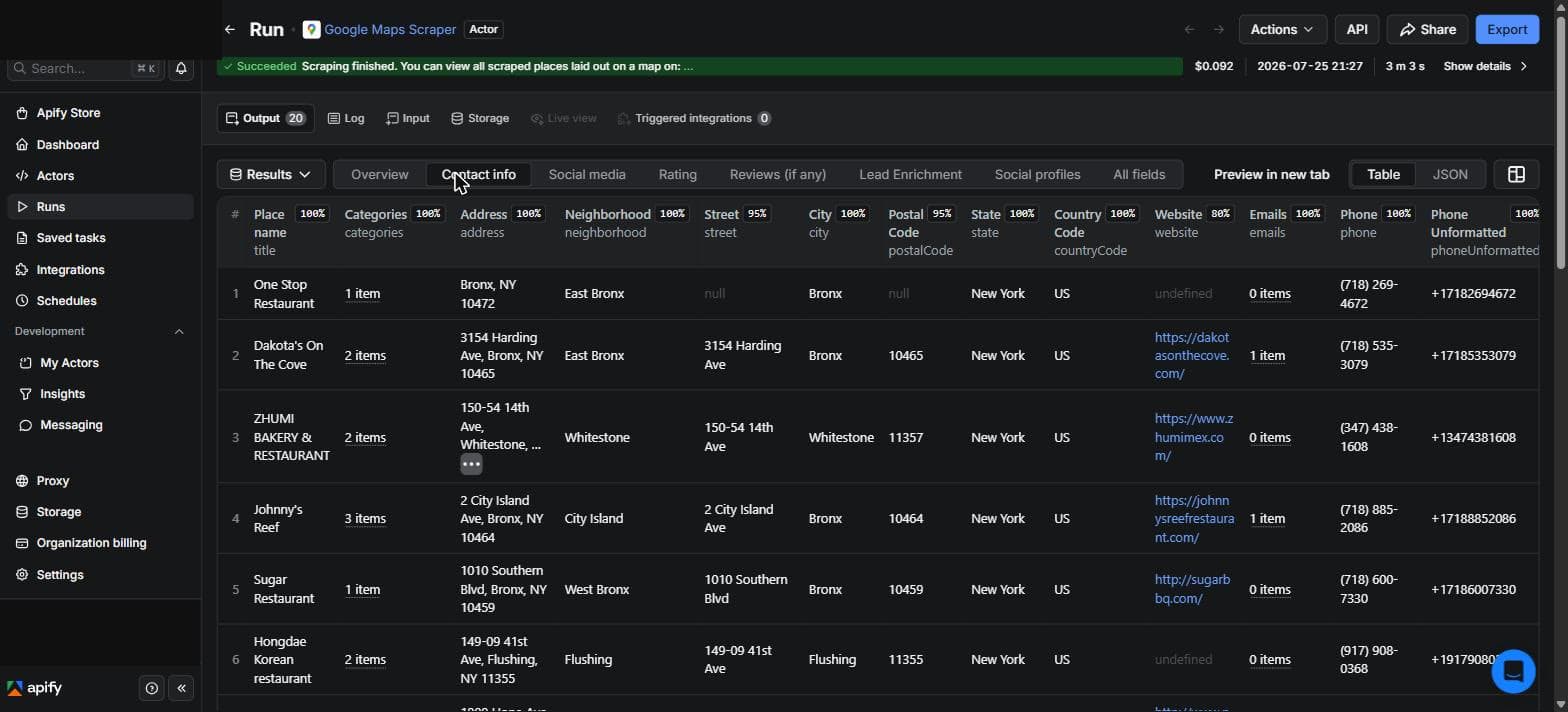
The short answer. You do not need to buy a lead list. You connect Claude to one Apify scraper, ask it for a business type and a city, and it hands you a clean sheet: business name, phone, website, and a work email where one exists. A run of a thousand leads costs about four to five dollars; my quick test of twenty came to nine cents. The setup below takes about ten minutes, once, and every run after is just a message.
- A Claude account. Free includes connectors and allows one custom remote connector. Paid plans are optional for more usage; a large run may exceed Free limits.
- A free Apify account. You sign in once to connect it, and the free tier is enough to start.
- A few dollars for a thousand leads. My quick test of twenty came to nine cents.
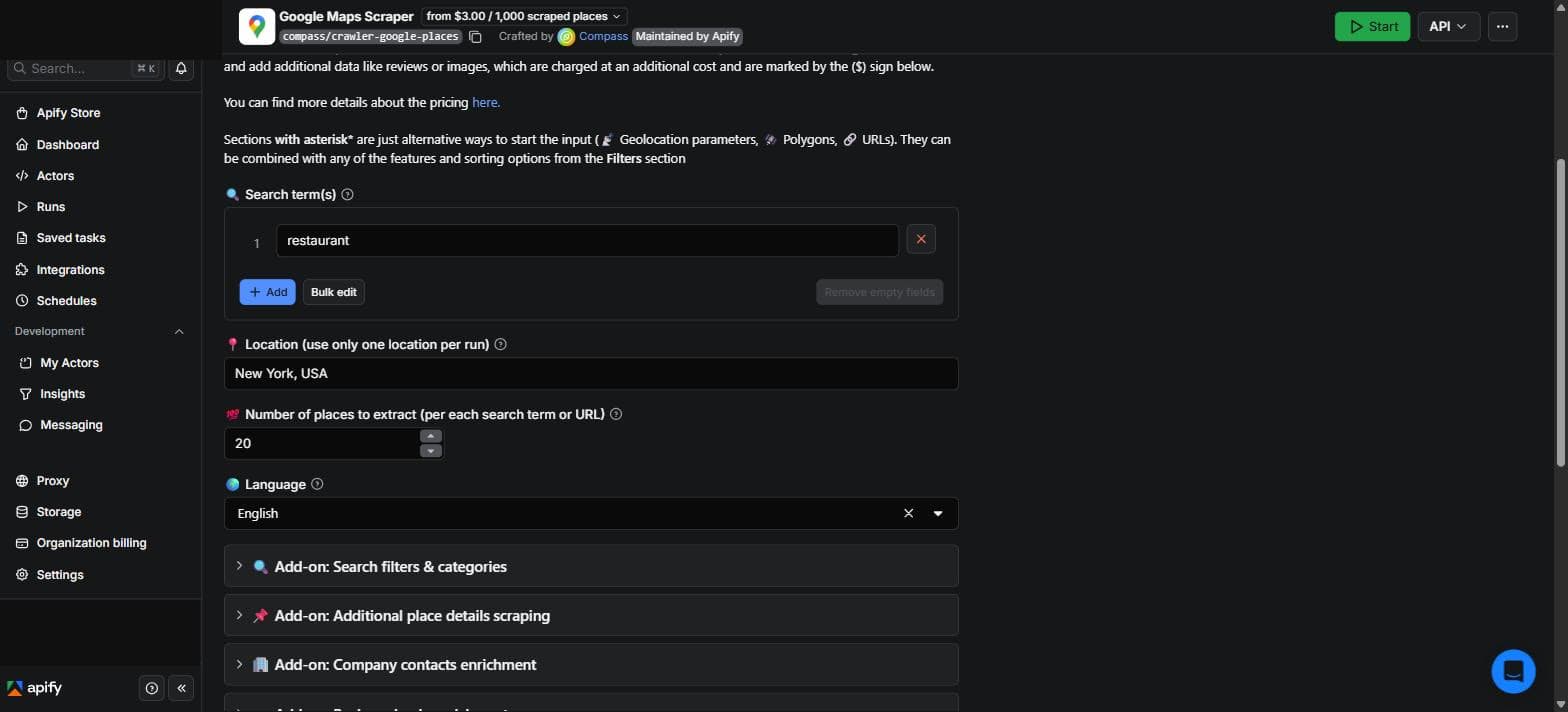
What one scraper pulls
The full setup
Step 1 · Connect Claude to Apify (one time)
You do this once and never again. In Claude, open Customize, then Connectors, then Add, Custom, Web and enter a name and a URL (some individual accounts show + Add, then Add custom connector):
Connector details
Name Apify
URL https://mcp.apify.com
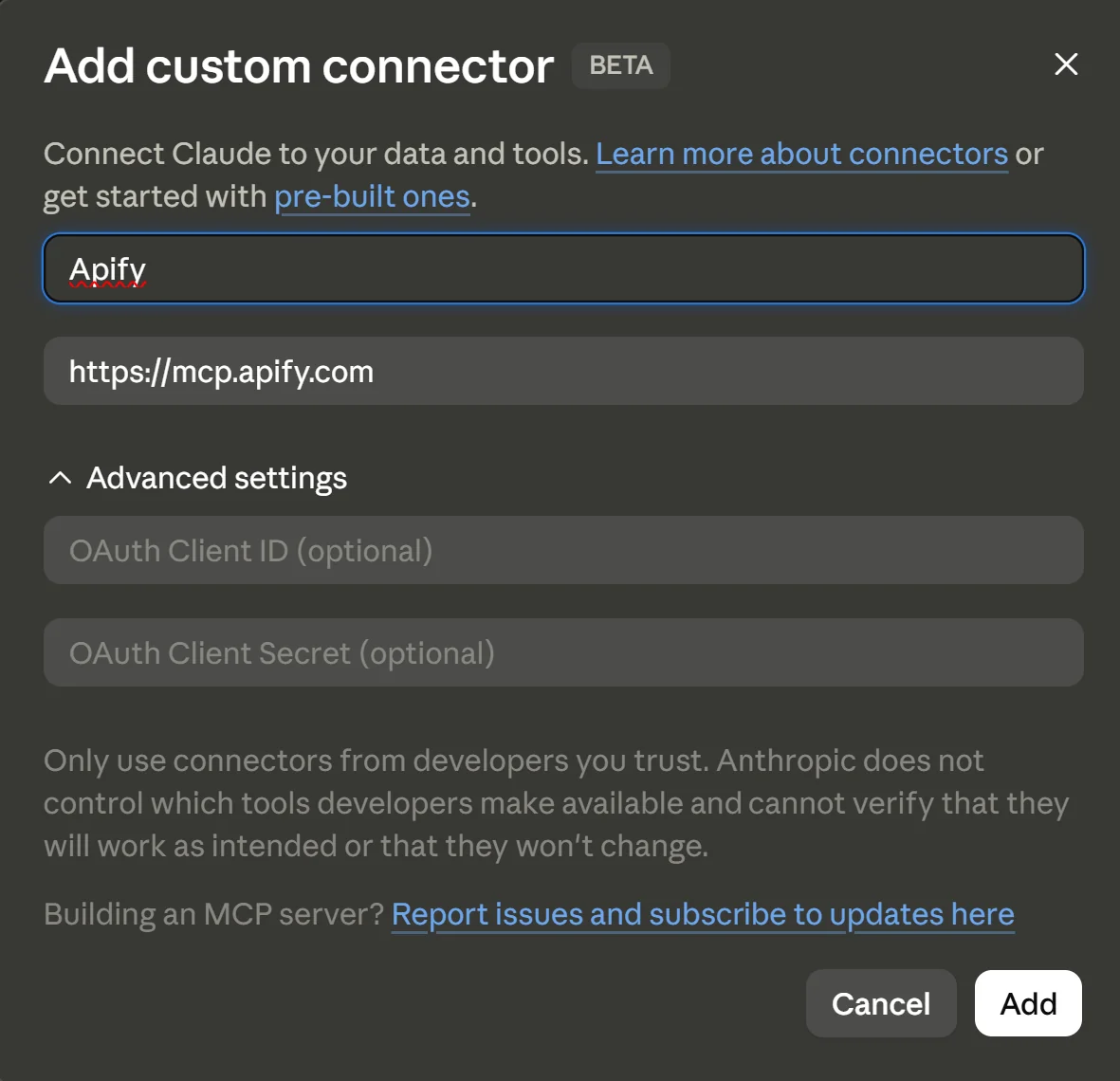
Click Continue, review the sign-in settings, then finish with Add and connect. Apify asks you to verify and sign in, which links your account to Claude. Approve it. There is no API token to copy, the sign in handles it.
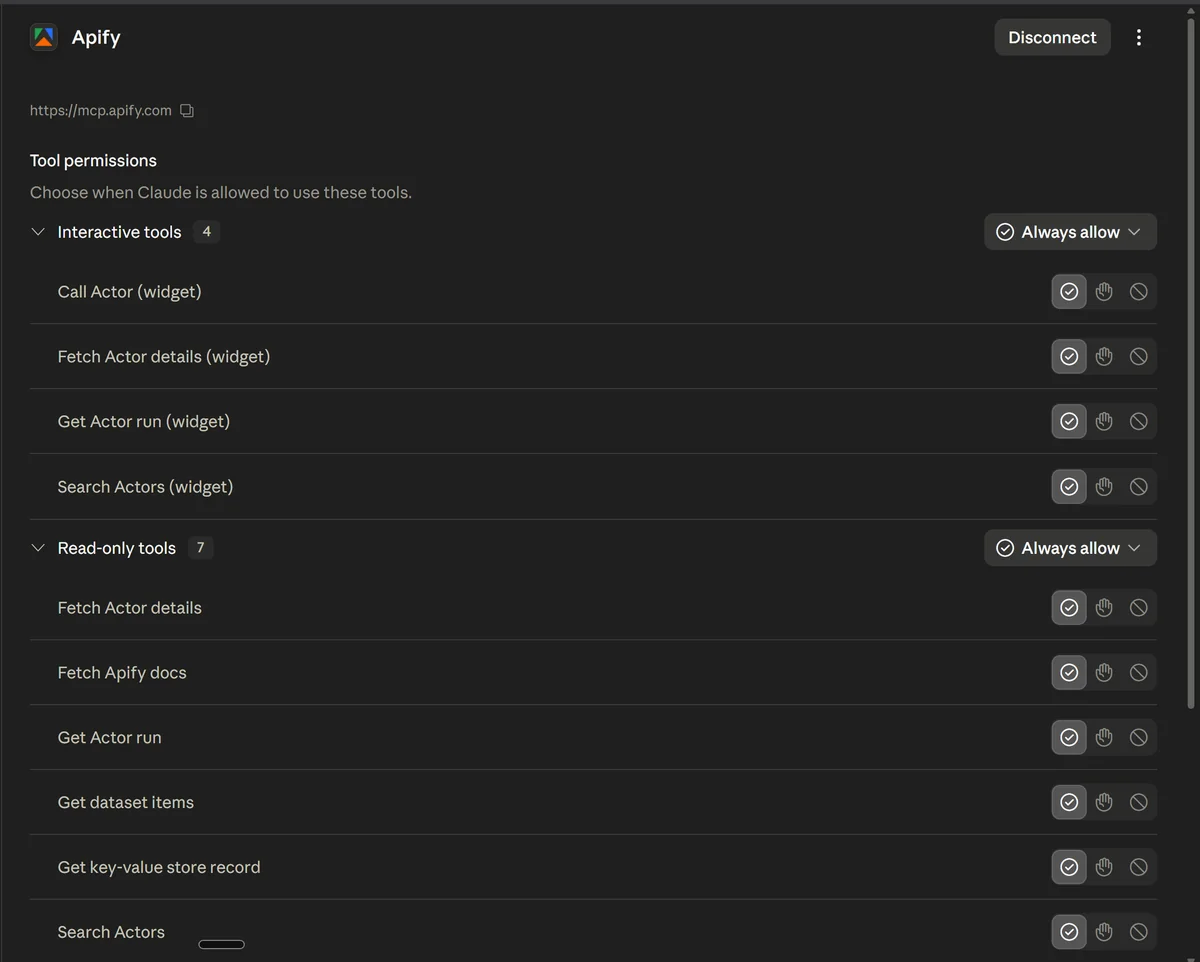
Step 2 · Check the connection works
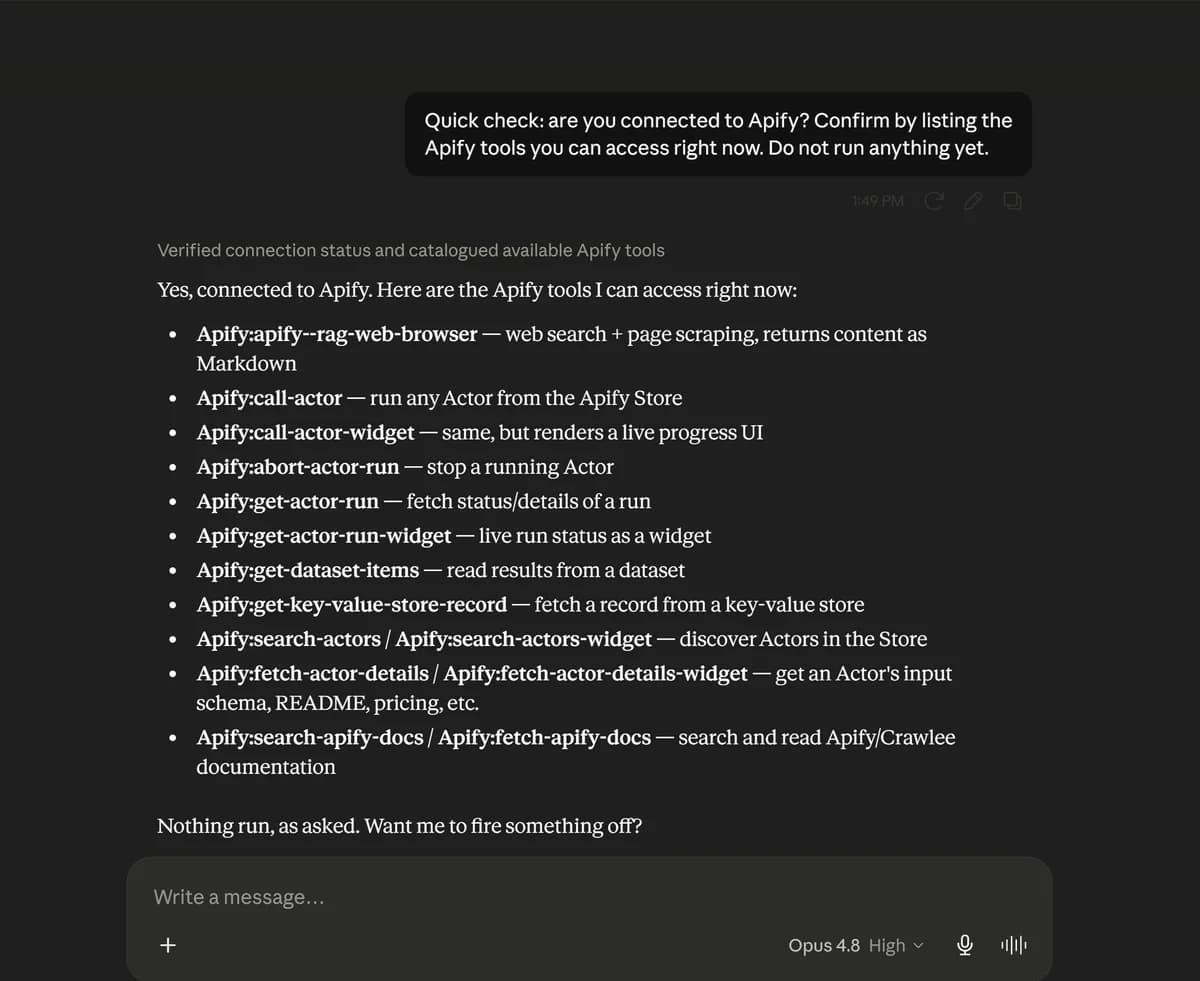
Before the real run, make sure Claude can reach Apify. Paste this. It only checks the connection, so it does not run anything or cost a cent.
Quick check: are you connected to Apify? Confirm by listing the Apify
tools you can access right now. Do not run anything yet.
Step 3 · Point Claude at the Google Maps Scraper
Open the Google Maps Scraper on Apify (or search the Apify Store for Google Maps Scraper by Compass). On the actor page, click the API button at the top right and choose MCP configurator.

That opens Apify’s MCP page with the scraper’s server URL. You can copy it here, but it is already baked into the prompt below, so you do not have to.
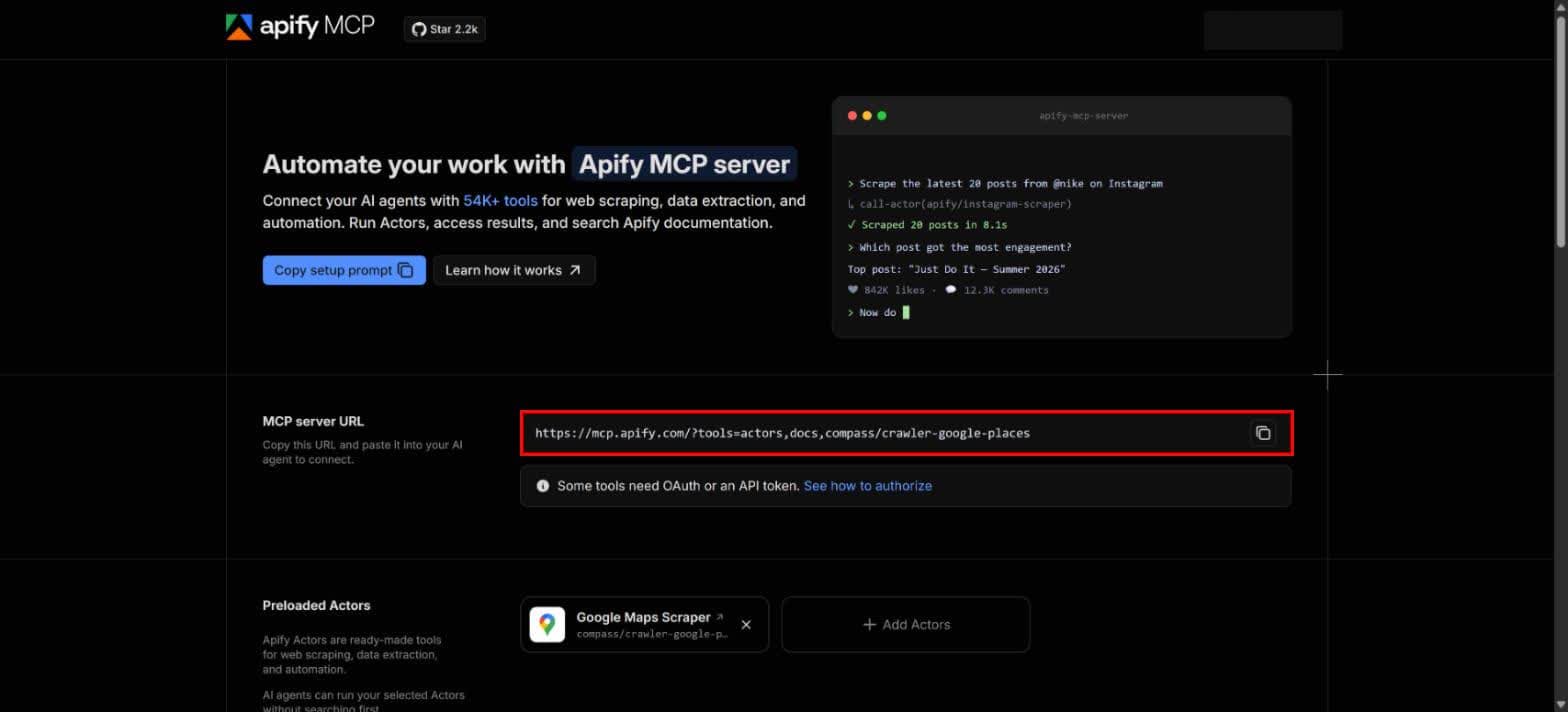
Paste this into Claude. It checks Claude can reach the scraper before you run anything, and the URL is already in it.
Here is the scraper I want to use:
https://mcp.apify.com/?tools=actors,docs,compass/crawler-google-places

Can you access this actor and confirm you can query it? Do not run a full job yet,
just check that you can reach it. If you cannot, tell me the exact error.
Step 4 · Pull a live sample
Now run it. Paste this. Claude asks what business and which city, then pulls a small real sample so you can see the phones and emails come through before you scale up. The run near the top of this page was exactly this: twenty New York restaurants, back in three minutes for nine cents.
Let's run a small live test. First, ask me two things: the type of
business and the city. After I answer, run the Google Maps Scraper for 20 businesses,
and for each one pull the name, full address, phone, website, and rating. Turn on the
Company contacts enrichment so you also get a work email for the businesses that have
a website. Then show me the complete raw data for one business,
every field, so I can confirm the phone numbers and emails are actually there.
Step 5 · Build the list and export
Once the data looks right, ask Claude to turn it into a clean sheet and export it. Bump the number from twenty to a thousand or more for the real run. A thousand leads runs about four to five dollars.
You now have the businesses. Build me a pitch ready lead list from
only what is in the data. Do not invent any name, email, or number.

Columns: Business, Phone, Website, Email, Rating, Address.
One row per business. Put the ones that came with a real email and a website at the
top, since those are the easiest to reach.

Then create an actual downloadable CSV I can open in Google Sheets, not text in the
chat, and give me the download link. At the end, tell me how many of the businesses
came back with an email.
One scraper, many plays
- Find businesses with no website. List the restaurants in your city missing a site, then pitch them web design.
- Pull decision maker contacts. Owner and manager names with work emails, for real B2B outreach instead of a generic inbox.
- Filter by rating. Only the three star and below, if what you sell is a fix for the thing they are weak at.
- Map a whole category. Every gym across a metro by rating, so you can see which areas nobody serves well.
- Know them before you pitch. The same scraper reads their reviews, so you walk in already knowing what their customers complain about.
The quick questions
Is scraping Google Maps legal?
Pulling public business data is fine. A business name, address, phone, and website are public on Google Maps. Be careful with personal data and follow Google's terms. This guide sticks to public business information.
How much does one run cost?
A thousand leads runs about four to five dollars, well under six. My quick test of twenty came to nine cents. The scraper marks every paid extra with a dollar sign, so you always see the cost before you run.
Do I need to know how to code?
No. You connect Claude to Apify once, then ask in plain English. Claude runs the scraper and builds the sheet for you.
How good are the emails?
You get a work email wherever the business has a website the scraper can read. Some will be a general inbox, some a named contact. Sanity check a handful before any big send.
Can I pull a whole city or state?
Yes. One broad location like a city or a state covers the whole area in a single run. You do not have to go neighborhood by neighborhood.
How is this better than buying a lead list?
A bought list is stale and everyone else already has it. This pulls a fresh one for the exact niche and city you name, the day you need it, for a few dollars.
The tools I test, every week
Every week I put a new AI tool through real work and send what held up, what broke, and what it cost. Nothing gated, unsubscribe in one click.

Founder of Spectrum AI Labs — testing AI tools and models, and writing up what actually ships.
More about Paras →