Back to AI tools directory

Make

Make guide for practical AI users

A visual automation platform for building more detailed workflows between apps and data sources.

Quick take

Make is useful when a workflow needs more control than a simple app handoff. Use it for scenarios with branches, filters, data cleanup, approvals, retries, and clear error paths. It works best when the process is already written down and someone owns the automation after launch.

Best fit

Use Make when you need a visual builder for multi-step work across apps, especially when the flow has conditions, repeated records, or different routes for different cases.

First setup

1

Write the workflow on paper before opening Make. Name the trigger, inputs, checks, outputs, and failure alert.

2

Build the first scenario with one trigger, one action, and one clear output.

3

Run the scenario manually with real sample data before adding filters or routes.

4

Add filters only when you know which records should continue and which should stop.

5

Add error handling for the steps that can fail because of bad data, rate limits, or app connection problems.

6

Check operations in the pricing page before turning on a high-volume scenario.

Workflows worth trying

Lead qualification workflow

Useful when a form, ad, or spreadsheet creates leads that need cleaning and routing before a human follows up.

  1. Trigger from the lead source and map only the fields the team needs.
  2. Normalize email, company name, source, country, and notes before saving the record.
  3. Use filters to route good-fit leads to sales and low-fit leads to a nurture list.
  4. Send one summary notification with the lead score and missing fields.
  5. Add an error route for missing email, duplicate records, and CRM connection failures.

Content production handoff

Useful when one approved blog needs tasks for design, social posts, newsletter copy, and internal review.

  1. Trigger when the content status changes to approved.
  2. Create tasks for each output with the source URL, due date, owner, and channel.
  3. Use a router if different content types need different task lists.
  4. Use an aggregator when several records need to be summarized into one update.
  5. Send one final message to the team when every required task is created.

AI-assisted operations check

Useful when messages or records need classification before a person acts on them.

  1. Collect the input text and the fields that should be returned.
  2. Use a Make AI tool or AI Agent only for low-risk classification, extraction, or drafting.
  3. Keep the output structured so later modules can map it cleanly.
  4. Send risky actions to a human approval step before an email, invoice, or customer update is sent.
  5. Save the AI output and final human decision so mistakes can be reviewed later.

Prompt recipes

Scenario plan

Process: [manual process]. Return the trigger, required fields, filters, routes, final outputs, owner, and failure alerts. Keep the first version small.

It turns a vague process into a build plan that can be mapped in Make.

Structured AI extraction

From this input, return only JSON with these fields: category, urgency, customer_type, missing_fields, recommended_next_step. Use unknown if a field is unclear.

Structured output is easier to route through Make modules than a long paragraph.

Error handling review

Review this Make scenario. List the modules most likely to fail, what bad data can appear, what should be retried, and where a human should approve.

It checks reliability before the workflow touches real data.

Buying advice

Free is enough for a proof of process

Use Free to test the builder, confirm app connections, and prove that a small scenario works.

Paid plans should be based on operations

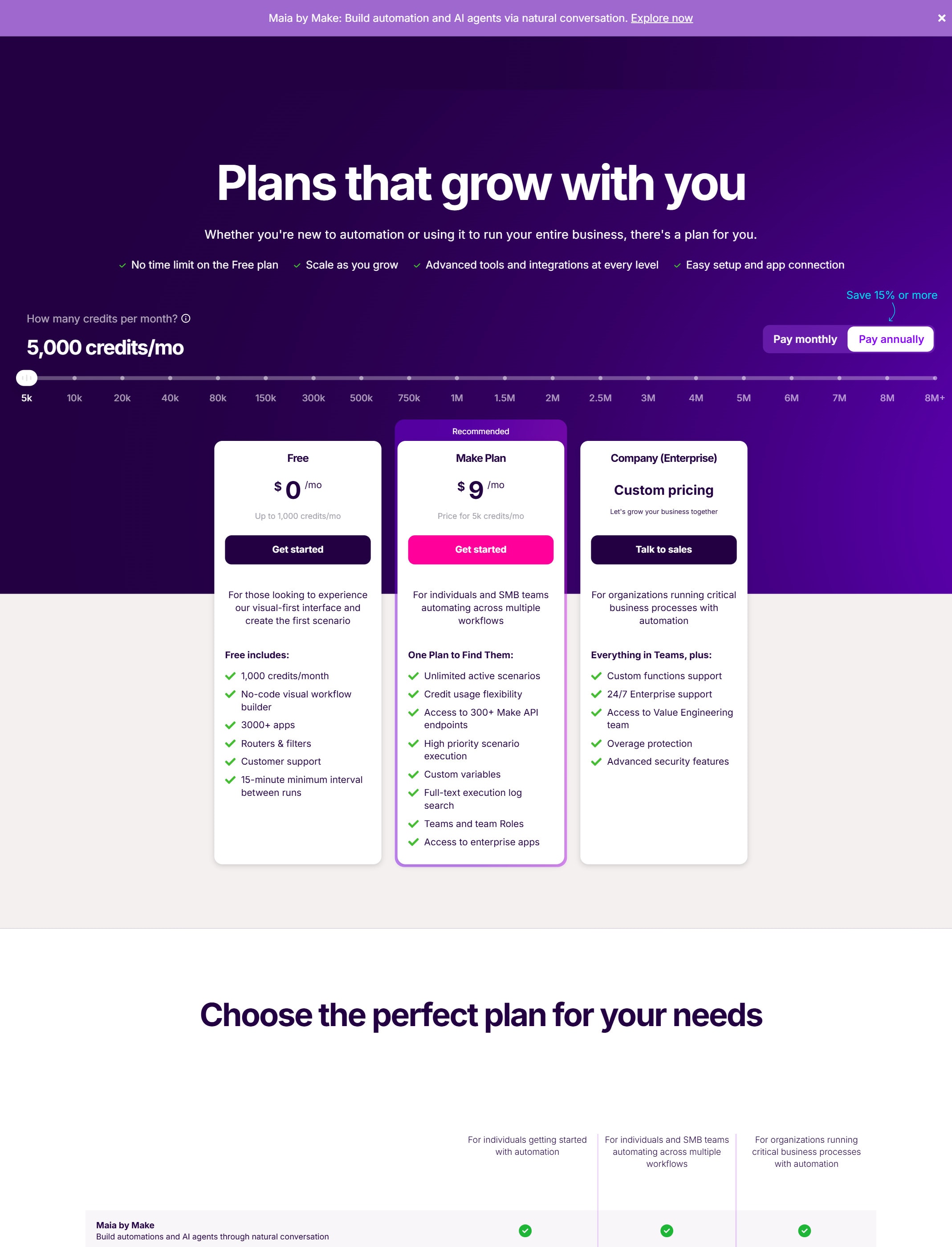
Make pricing is tied to plan limits and usage. Estimate how often the scenario will run before choosing a plan.

Complex routing needs testing time

Do not buy only because the builder can handle complex logic. Buy when the team has time to test routes, filters, and edge cases.

AI Agents need a separate check

Make says AI Agents are still a changing product area, so check the current official docs before relying on them for production work.

Watchouts

  • Do not build a long scenario before the simple path works.
  • Do not ignore operations. A loop or frequent trigger can raise usage quickly.
  • Do not let filters silently drop important records without logging why they stopped.
  • Do not use AI output for risky customer or finance actions without a human approval step.
  • Do not skip error handling for CRM, payment, email, database, or webhook steps.

Official sources to check

Best for

  • Multi-step automations
  • Visual workflow building
  • Teams that need more control over operations logic

Not for

  • Users who want the simplest possible setup
  • Processes that change every week and are not documented

How to use it well

Map the workflow before opening the builder. Start with one trigger, one transformation, and one output. Add error handling only after the simple path works.

Pricing note

Free and paid plans are listed on Make's official pricing page.

We link to Make pricing instead of copying every price into this page. That is safer because AI tool pricing, usage limits, and plan names change often.

How to decide

Choose this if you want a more visual, configurable automation setup and can spend time testing the workflow.

Check operation limits before moving high-volume workflows into Make.

Related tools

Compare Make with other tools in nearby categories.

OpenAI

ChatGPT

Free plan

A general AI assistant for writing, research, planning, data analysis, coding help, and everyday work.

Anthropic

Claude

Free plan

A conversational AI assistant often used for long documents, careful writing, coding help, and structured reasoning.

Google

Gemini

Free plan

Google's AI assistant for search-style help, writing, productivity, image work, and Workspace-related tasks.