Back to AI tools directory

Runway

Runway guide for practical AI users

An AI video platform for generating, editing, and shaping video assets.

Quick take

Runway is useful for short AI video concepts, campaign visuals, motion tests, and creative exploration. It is not the tool to trust blindly for exact product demos or legally sensitive visuals. The best use is to create options, review every frame, then decide whether the idea deserves a real production pass.

Best fit

Use Runway for image-to-video tests, short social clips, campaign mood pieces, visual storyboards, and early creative direction. It works best when you already know the shot, subject, motion, duration, and review criteria.

First setup

1

Start with the pricing and credit docs before generating a campaign set.

2

Create a project folder for one campaign or concept so generations do not get mixed.

3

Use a clean input image when the model requires or benefits from image guidance.

4

Generate short clips first, review motion and artifacts, then decide whether a higher-cost model or longer clip is worth it.

5

Export only after checking brand fit, rights, text, faces, product details, and platform format.

Workflows worth trying

Test a video idea before production

Useful when a marketer or founder wants to see whether a concept works before hiring a video team.

  1. Write the campaign goal and the one scene you want to test.
  2. Create or choose one strong still image as the visual base.
  3. Prompt for motion, camera movement, and mood instead of asking for a full ad.
  4. Pick the best clip and write down what a real production would need to fix.

Create a social motion asset

Useful for short loops, background visuals, launch teasers, and idea exploration.

  1. Choose the final aspect ratio before generating.
  2. Generate a short version first and check whether the subject stays stable.
  3. Avoid small text inside the generated video. Add final text in an editor.
  4. Export, watch on mobile, and remove anything that looks off-brand or uncanny.

Control credit spend during exploration

Useful when many people are generating options or a campaign needs several variants.

  1. Set a credit budget before the session starts.
  2. Use lower-cost or faster options for early exploration when available.
  3. Save only the clips worth reviewing and delete weak directions from the shortlist.
  4. Track credits after the session and adjust the plan before the next batch.

Prompt recipes

Motion-focused prompt

Use this image as the base. Create a [duration] second clip. Subject: [subject]. Motion: [specific movement]. Camera: [specific camera move]. Mood: [simple style]. Avoid text and extra objects.

Runway's own guidance says prompts should focus on visual detail and motion, not long conversational instructions.

Campaign concept test

Create a short concept clip for [campaign]. The scene should show [one visual idea]. Keep the subject stable. Use [aspect ratio]. No text in the video.

It keeps the generation focused on one testable scene.

Review checklist

Review this generated clip for motion problems, visual artifacts, brand fit, product accuracy, rights risk, and whether it can work on [platform].

It makes the review concrete instead of treating the clip as finished because it looks impressive.

Buying advice

Free is only for testing

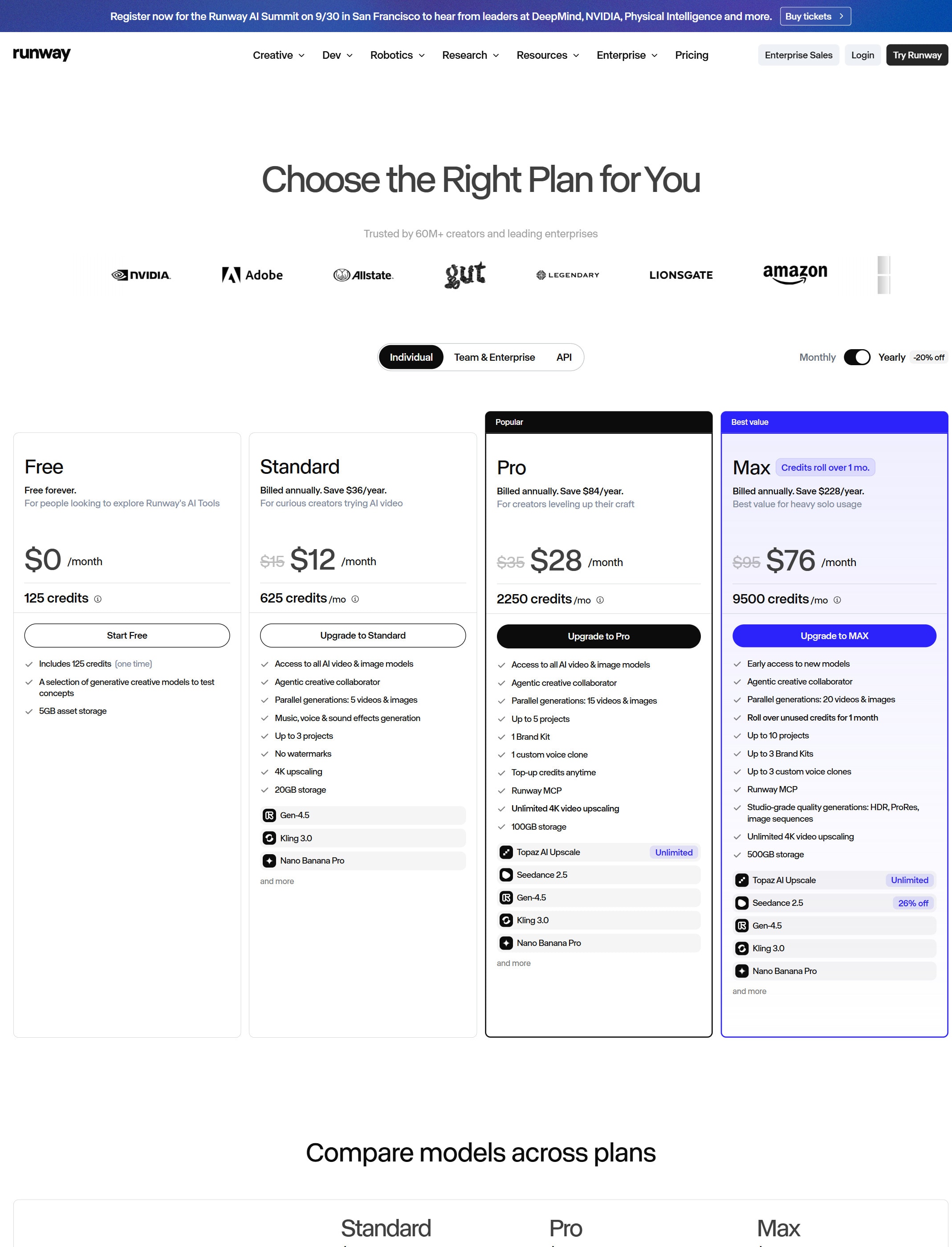
Runway says the Free plan has a limited one-time credit allocation and selected model access. Use it to test the workflow, not to run a campaign.

Standard is for light exploration

Standard fits early testing and occasional generations. Check whether the included credits match the kind of video you want to make.

Pro or Unlimited fits heavier video work

Runway's plan guidance points heavier creative projects toward Pro or Unlimited, especially when video generation is the main use.

Teams should check shared credits

Runway says workspace editors share one credit pool, so adding people does not automatically multiply monthly credits.

Watchouts

  • Do not assume plan credits roll over. Runway says monthly plan credits expire on the billing date.
  • Do not forget that web app credits and API credits are separate.
  • Do not use generated clips in ads without checking rights, likeness, brand, and product accuracy.
  • Do not generate long clips first. Test short clips before spending more credits.

Official sources to check

Best for

  • Short concept videos
  • Creative campaign assets
  • Testing video ideas before full production

Not for

  • Exact product demos where every detail must be accurate
  • Teams with no process for reviewing visual quality and rights

How to use it well

Use it to explore a visual direction first. Keep prompts specific, generate several options, and review every frame for brand, accuracy, and legal risk.

Pricing note

Free and paid plans are listed on Runway's official pricing page.

We link to Runway pricing instead of copying every price into this page. That is safer because AI tool pricing, usage limits, and plan names change often.

How to decide

Choose this if video output is central to the job and you can review the creative result carefully.

Video tools can become expensive with heavy generation, so check plan limits before a campaign.

Related tools

Compare Runway with other tools in nearby categories.

Google

Gemini

Free plan

Google's AI assistant for search-style help, writing, productivity, image work, and Workspace-related tasks.

Midjourney

Midjourney

Paid only

An AI image generation tool known for strong visual style, concept art, and creative image exploration.