Back to AI tools directory

Vercel

v0 guide for practical AI users

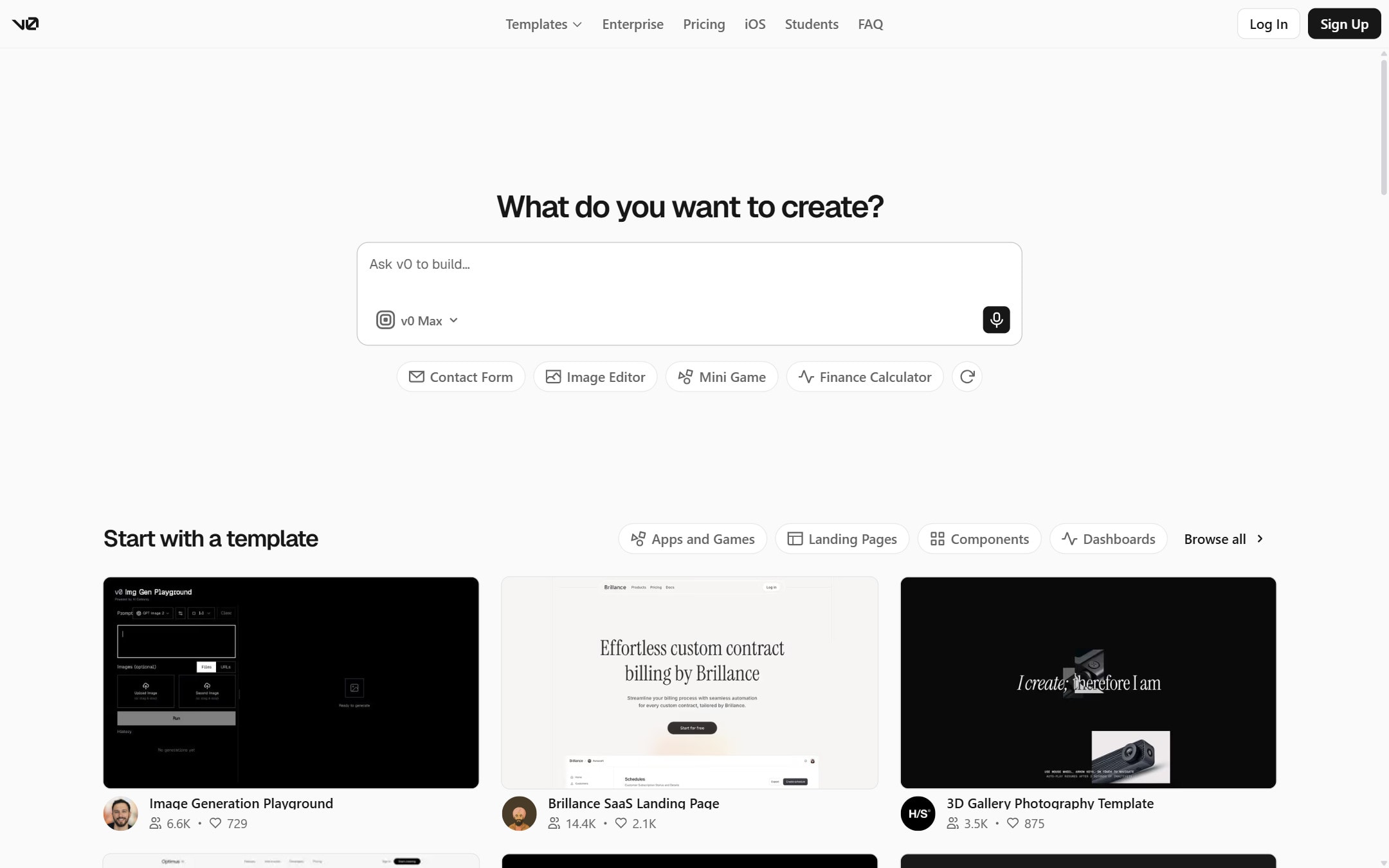
An AI builder from Vercel that turns prompts into UI and full-stack web apps you can refine visually and deploy to Vercel.

Quick take

v0 is Vercel's AI builder that turns prompts into UI and full-stack web apps, with a visual Design Mode, GitHub sync, and one-click deploys to Vercel. It fits designers, founders, and frontend developers who work in React and Next.js and want a fast path from idea to live app. Its real limit is that it is built around Vercel and the React ecosystem, so it is a weaker fit if your stack is elsewhere.

Best fit

Use v0 when you want a clean UI or a working web app quickly and you are comfortable in React, Next.js, and Vercel. It works well for landing pages, dashboards, marketing sites, and app front ends where you plan to review the code and keep iterating.

First setup

1

Create a free v0 account and open a new chat.

2

Describe one screen, component, or small app, and paste any brand colors or reference images you have.

3

Refine the result in Design Mode instead of re-prompting for every small visual change.

4

Sync the project to GitHub through the Git panel and review the diff before you merge.

5

Deploy to Vercel with one click, then check the live preview URL and the runtime logs.

Workflows worth trying

Design a UI from a prompt

Useful for founders and designers who want a polished screen without hand-building components.

  1. Describe the screen, its purpose, and the main content in one prompt.
  2. Ask for a few variations, then pick the closest one.
  3. Adjust spacing, color, and copy in Design Mode.
  4. Sync or export the code once the layout is right.

Grow a screen into a working app

Useful when a UI needs real data, forms, or backend logic rather than just a mockup.

  1. Start from a screen you like and ask v0 to add the backend logic or data it needs.
  2. Connect the integrations you need and keep secrets in project settings, not in prompts.
  3. Sync to GitHub, review the diff, and open a pull request against main.
  4. Deploy on merge and test the full flow on the preview URL.

Prompt recipes

Screen brief with brand

Design a [screen type] for [product]. Audience: [who]. Main action: [one action]. Sections: [list]. Use these brand colors: [hex codes] and this tone: [tone]. Keep it responsive and accessible.

Naming the audience, action, sections, and brand keeps v0 from returning a generic template.

Ship-ready check

Review this app before I deploy it. Check exposed secrets, missing error and loading states, broken routes, accessibility issues, and any code that could raise cost on Vercel.

It focuses the model on the security, secrets, and cost checks that generated code needs before production.

Buying advice

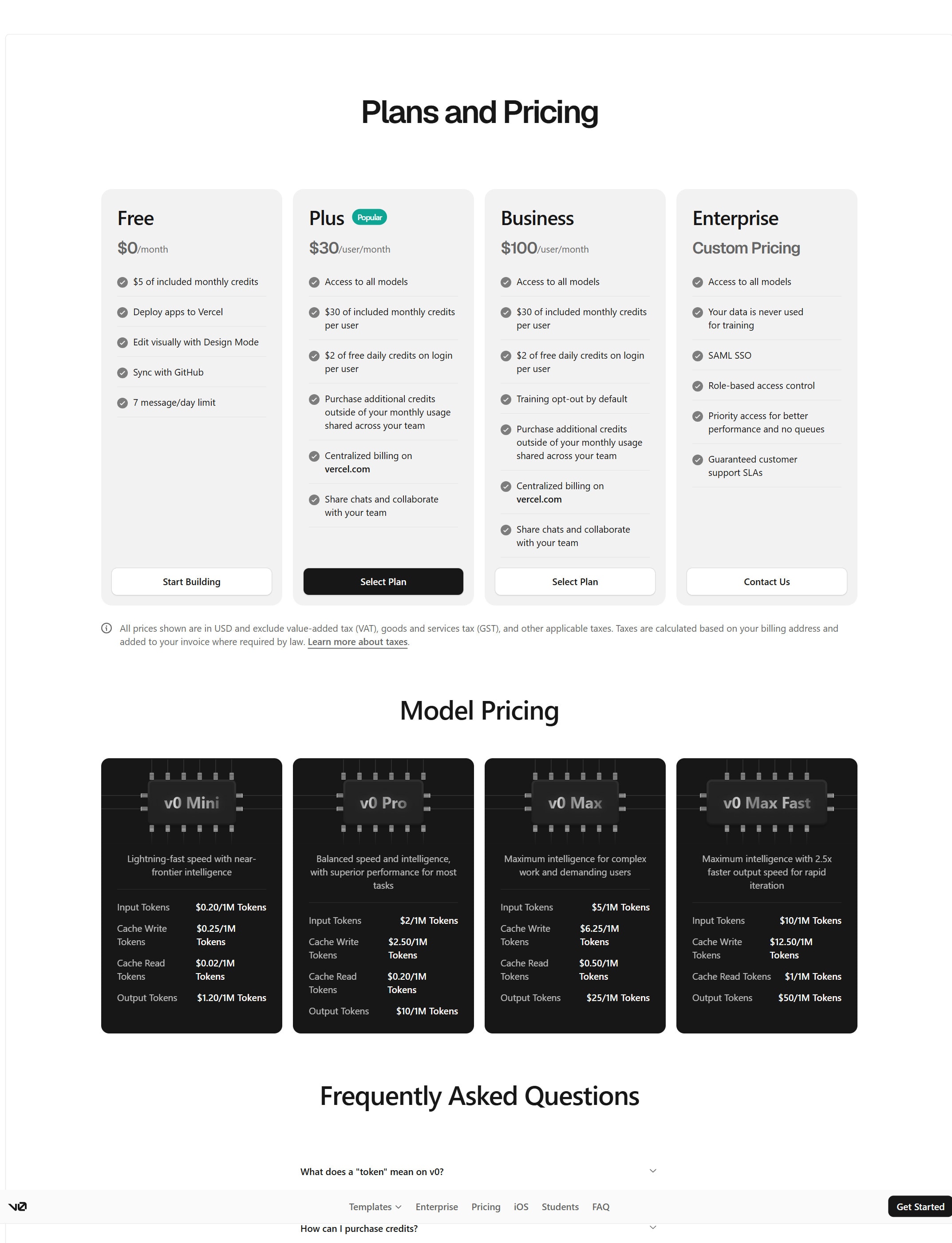
Free plan to try it

Use the free plan to test v0 on a real screen or small app and see if the output fits your stack before you pay.

Premium plan for solo builders

Move up when daily limits or credits get in the way and you are building most days. Extras like Figma import sit on paid tiers, so compare them on the pricing page.

Team and business plans for shared work

Higher tiers add shared workspaces, billing, training opt-out, and support. Pick these when a team collaborates or needs data controls, and remember Vercel hosting is billed separately.

Watchouts

  • The generated code still needs a human review for security, exposed secrets, and cost before it goes to production.
  • v0 is built around React, Next.js, and Vercel, so it is a weaker fit if your stack or host is different.
  • Hosting on Vercel is billed separately from your v0 plan, so check both before you scale.
  • Credits are token-based and complex prompts cost more, so watch usage during long build sessions.

Best for

  • Generating a clean UI or landing page from a prompt
  • Turning a design idea into a working React and Next.js app
  • Teams already on Vercel who want one-click deploys

Not for

  • Stacks outside the React and Next.js world
  • Production apps shipped without a human code and security review

How to use it well

Start with one screen or component, refine it in Design Mode, then sync to GitHub and review the diff before deploying so the generated code stays yours to check.

Pricing note

Free plan available. Paid plans are listed on v0's official pricing page.

We link to v0 pricing instead of copying every price into this page. That is safer because AI tool pricing, usage limits, and plan names change often.

How to decide

Choose this if you want to generate good-looking UI or a React and Next.js app from a prompt and deploy it on Vercel.

v0 charges token-based credits per generation, so complex prompts cost more. Check plan limits before heavy use.

Related tools

Compare v0 with other tools in nearby categories.

Anthropic

Claude

Free plan

A conversational AI assistant often used for long documents, careful writing, coding help, and structured reasoning.

Google

Gemini

Free plan

Google's AI assistant for search-style help, writing, productivity, image work, and Workspace-related tasks.

Anysphere

Cursor

Free plan

An AI coding editor for editing projects, asking questions about a codebase, and making changes with agent-style workflows.